
Redeem a Reward
A Redemption (sometimes called a Reward Response) refers to a Reward that a Member earns, or "purchases," by means of spending their Metric balance.
From the Member Profile screen, a Customer Service Representative can manually cause a Member to spend the necessary Metrics to redeem a Reward.
Note: You can't use this feature to redeem Rewards with a type of Physical Product. In addition, you can't manually redeem a Reward if the Member lacks the necessary Metrics in their current Metric balance.
To manually redeem a Reward:
-
Select Members from the top navigation bar, then select CSR > People from the side navigation menu. The People screen is displayed.
-
On the People screen, search for and select the desired Member (see
-
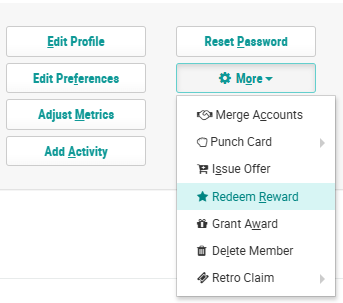
Within the header section of the screen, click More > Redeem Reward. The Select a Reward to Redeem pop-up window is displayed.
-
From the Reward drop-down menu, select the desired Reward.
-
In the Count field, enter the number of Rewards to redeem.
-
Click Redeem.
The Redemption is now displayed within the Rewards tab of the Member Profile screen.
